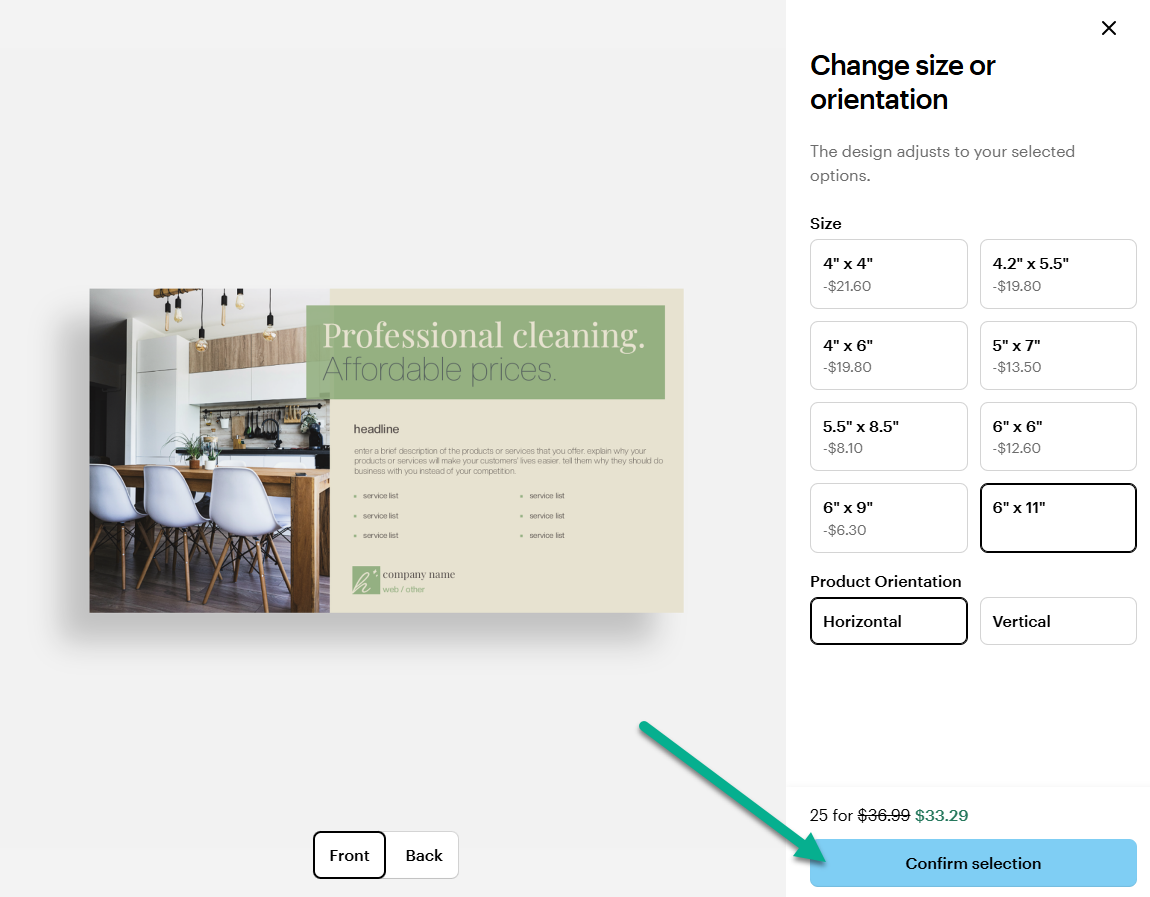
Yes, you can change the size of your product while designing it.
If you have already added the product to your basket, you can change the size by editing it in the design studio.
To choose a different size, follow these steps:
1
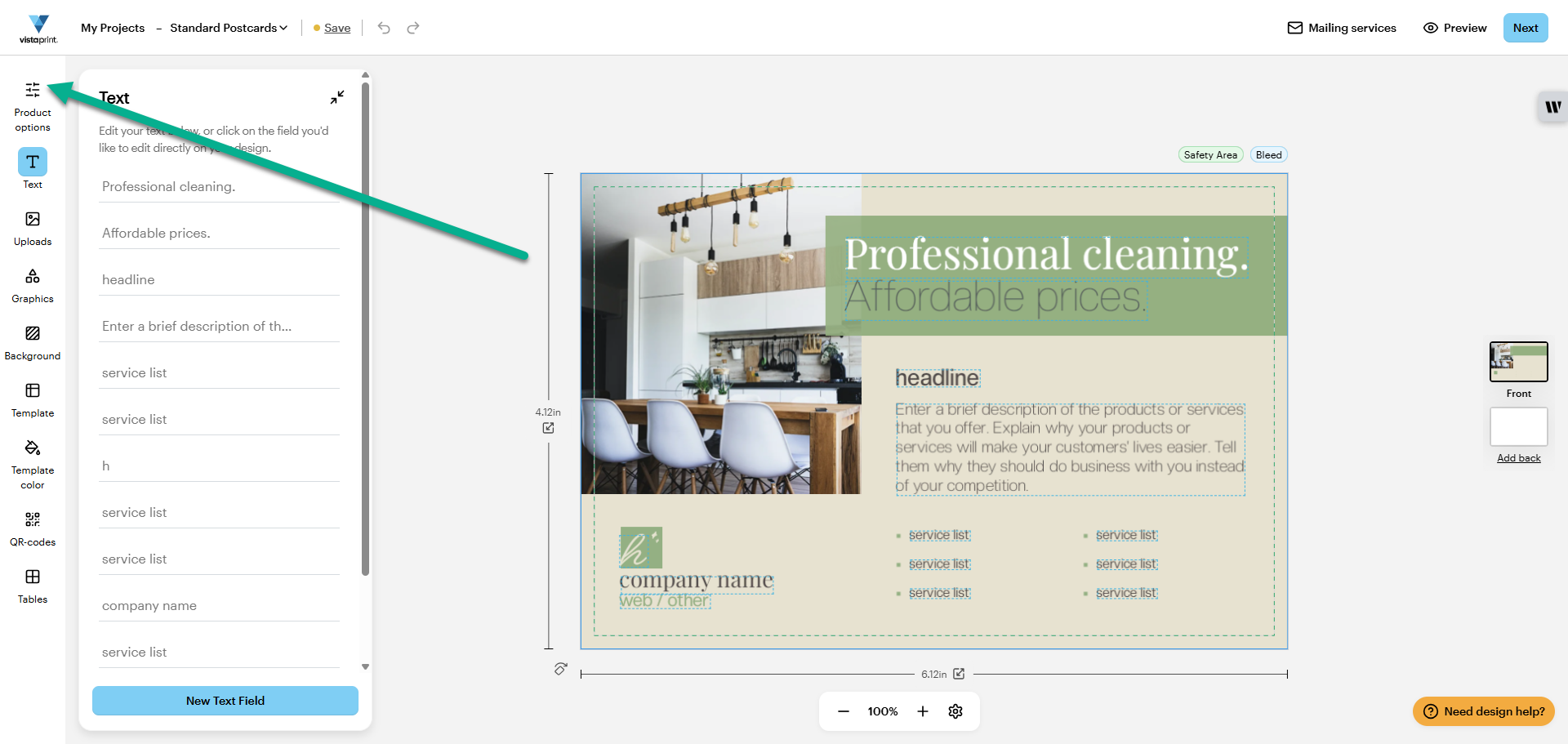
Open Product Options
Open the product in the design studio and select Product Options from the menu:
2
Select your preferred size
Select a size that suits your needs and choose Confirm Selection to save your choice: