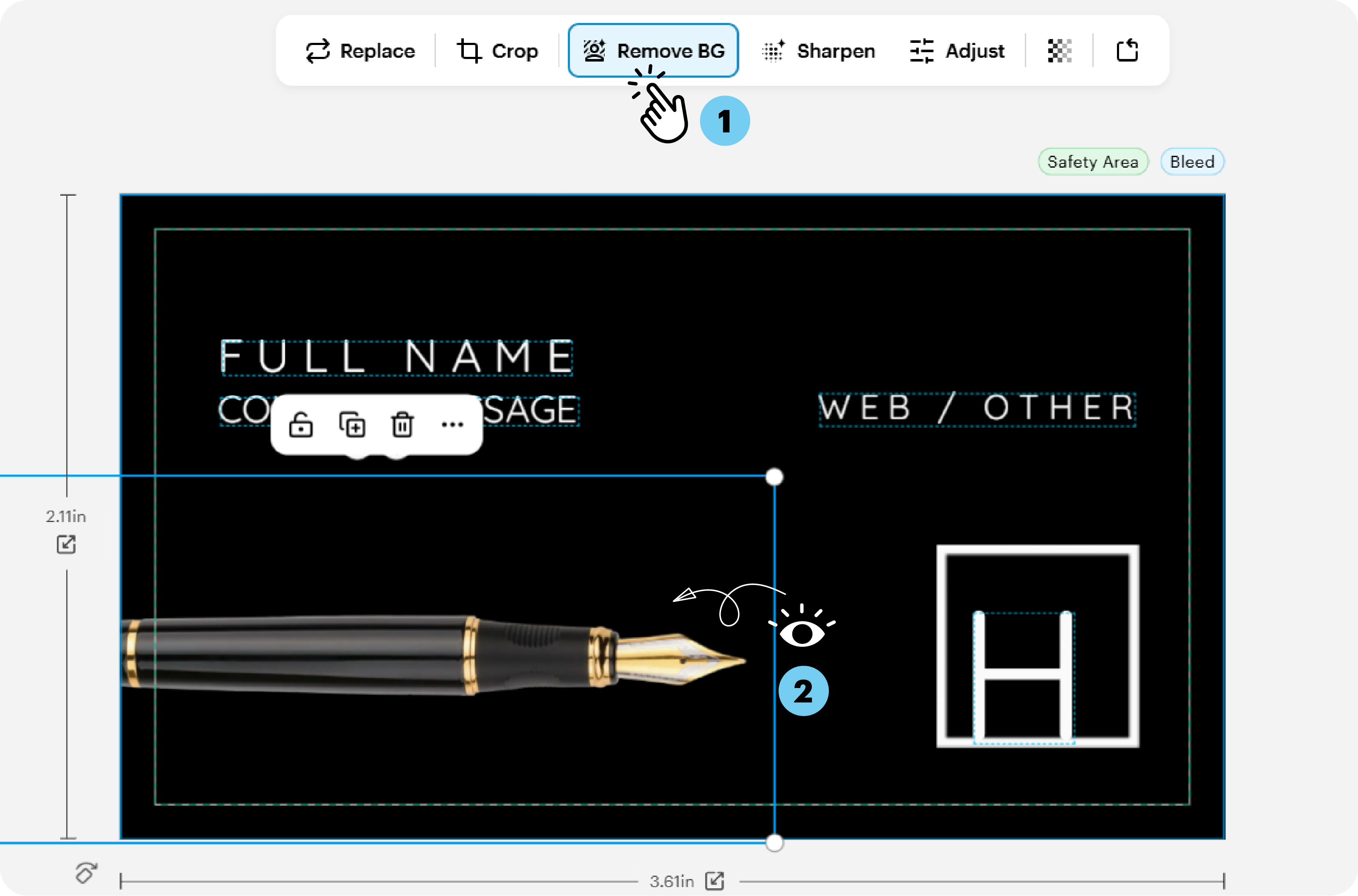
This option appears when a removable background is detected. Images with solid backgrounds usually give the best results.
Steps to remove the background
1
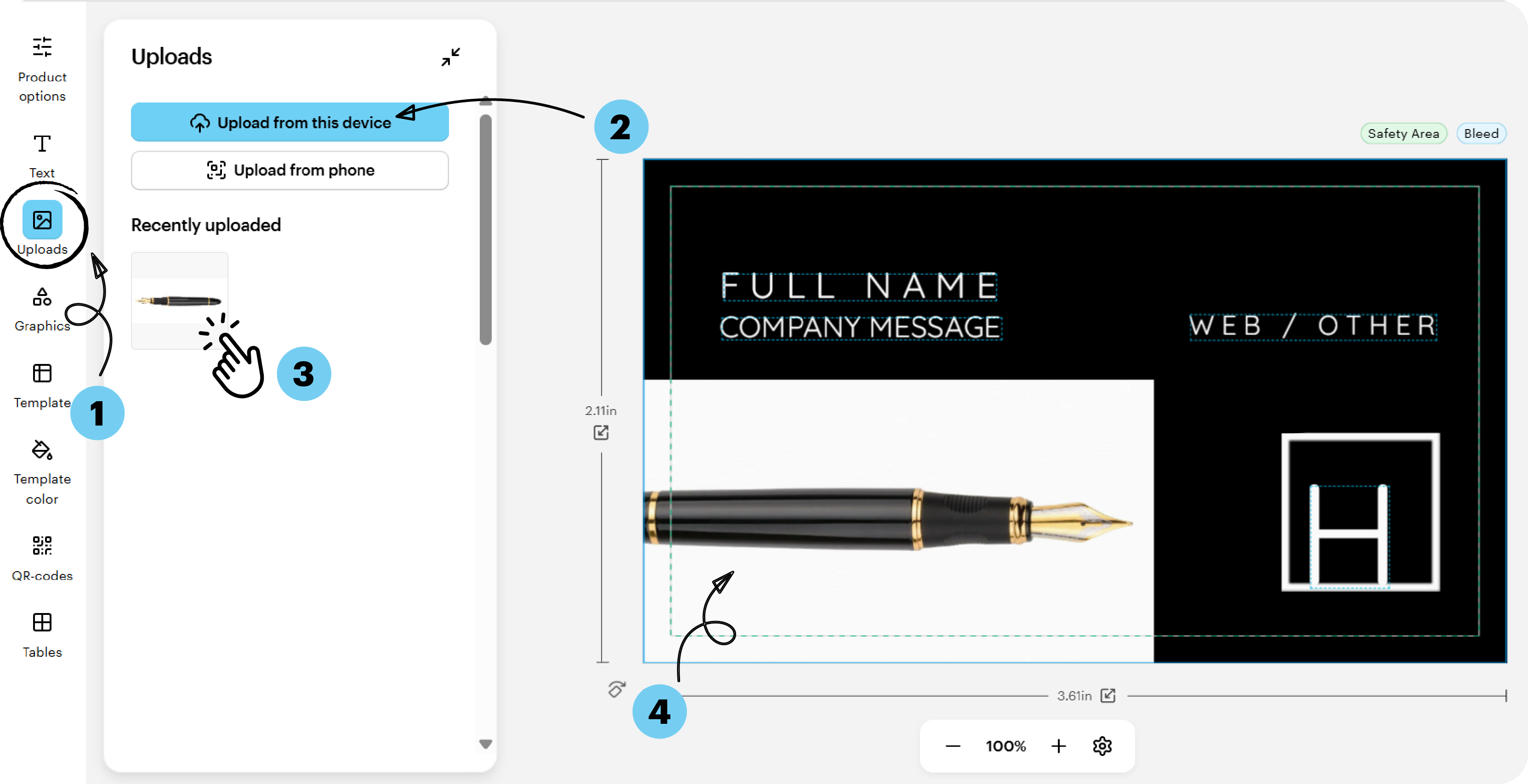
Upload your image
Select the image you want to edit from your files.
2
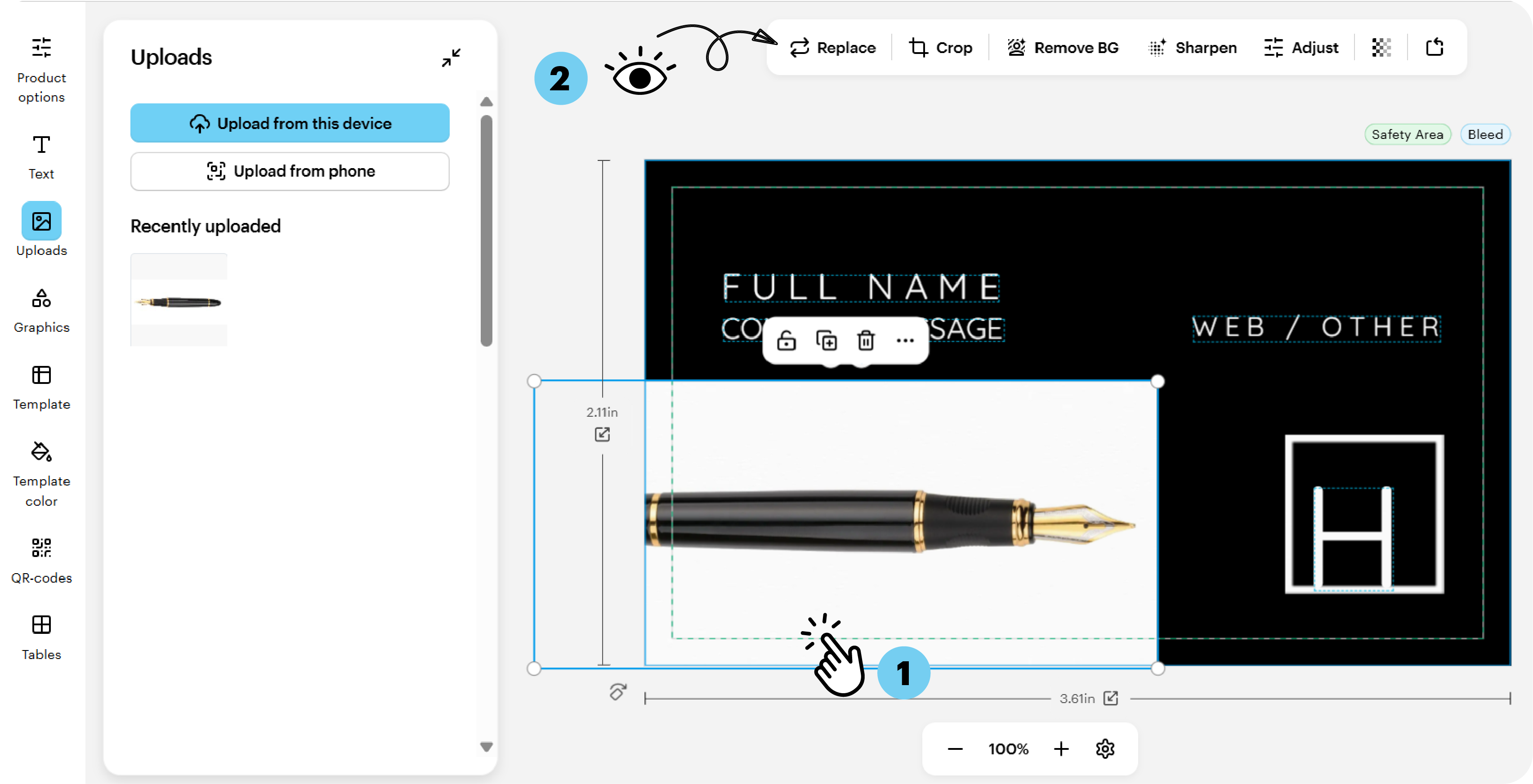
Select the image
Choose the image on the canvas to open the editing toolbar.
3
Remove the background
Select Remove Background from the toolbar above the design.