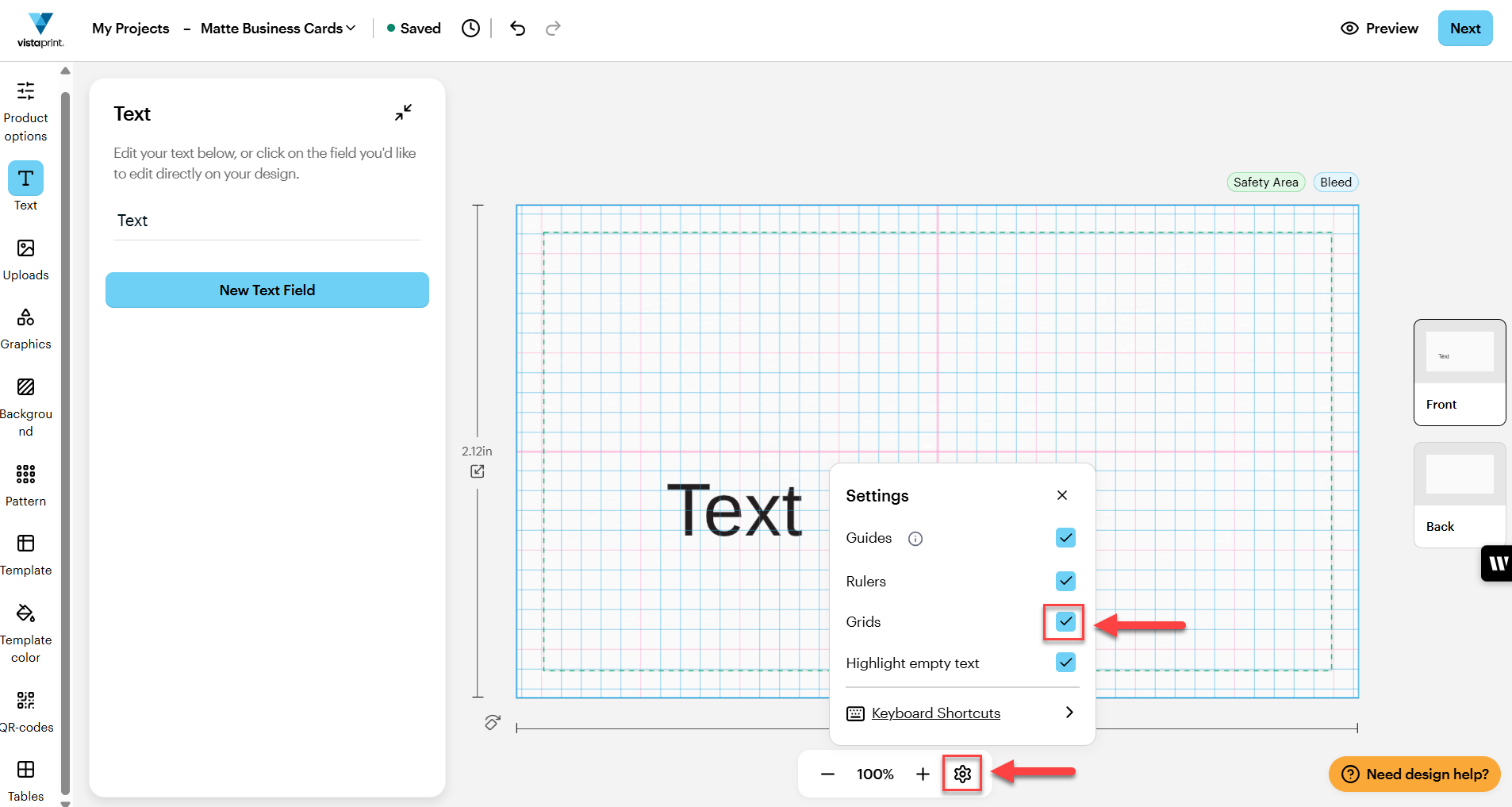
Steps to turn on grids
1
Open Settings
In the bottom toolbar of the design studio, open the wheel icon next to the zoom controls.
2
Turn on Grids
In Settings, select Grids to display a grid overlay on your canvas. The grid will help you line up text and design elements.
3
Align your design
Move your text or images so they line up with the grid lines. This helps keeps your spacing even and your layout balanced.