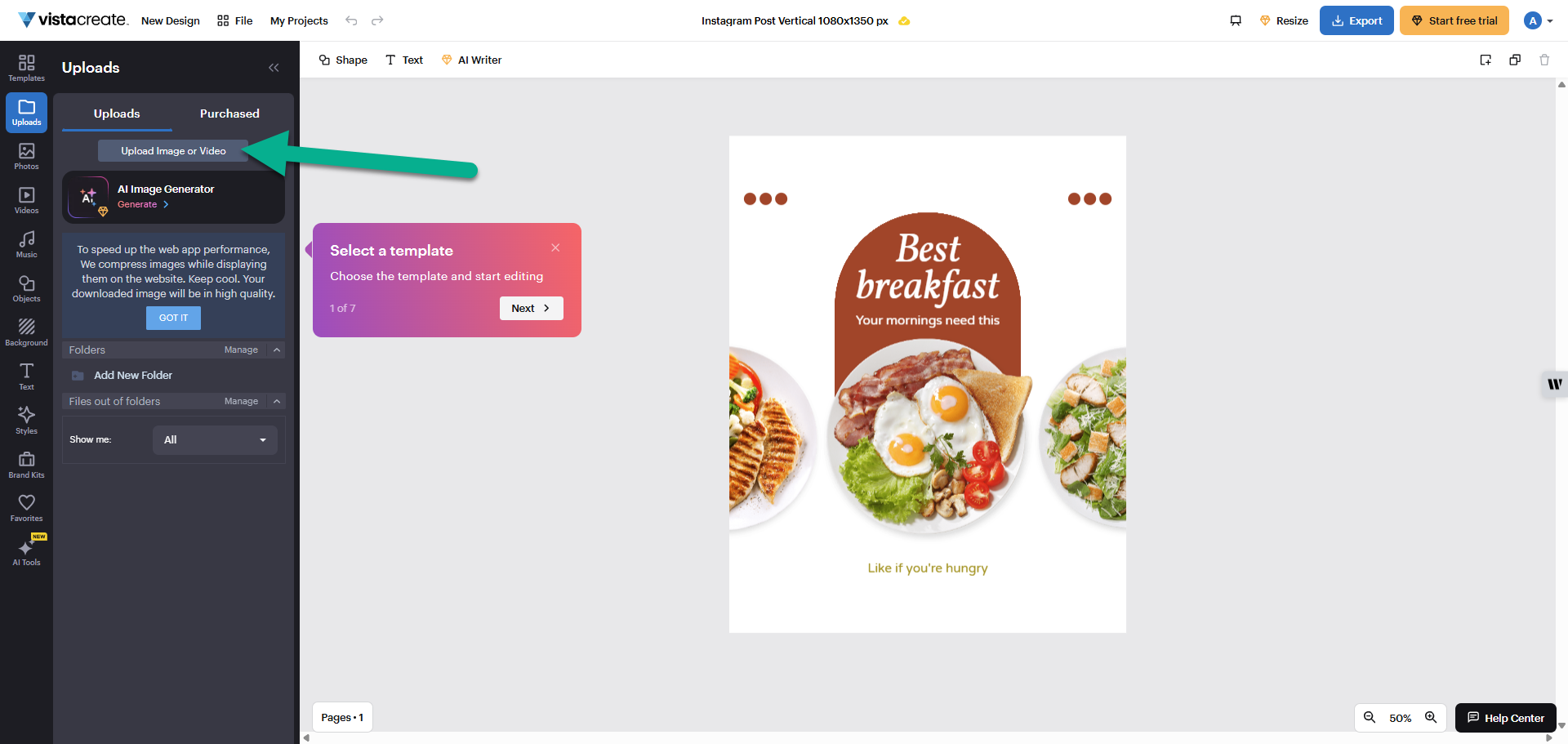
While VistaPrint and VistaCreate are part of the same family, saved designs don’t automatically appear in both. You can move your logo between them by following these steps.
1
Download your logo
Go to your VistaPrint account and save your logo to your device. If you designed your logo in the AI Logomaker, you can find it in your Brand Kit. If you purchased your logo through our Design Services, you can find it under My Design Services in your account.
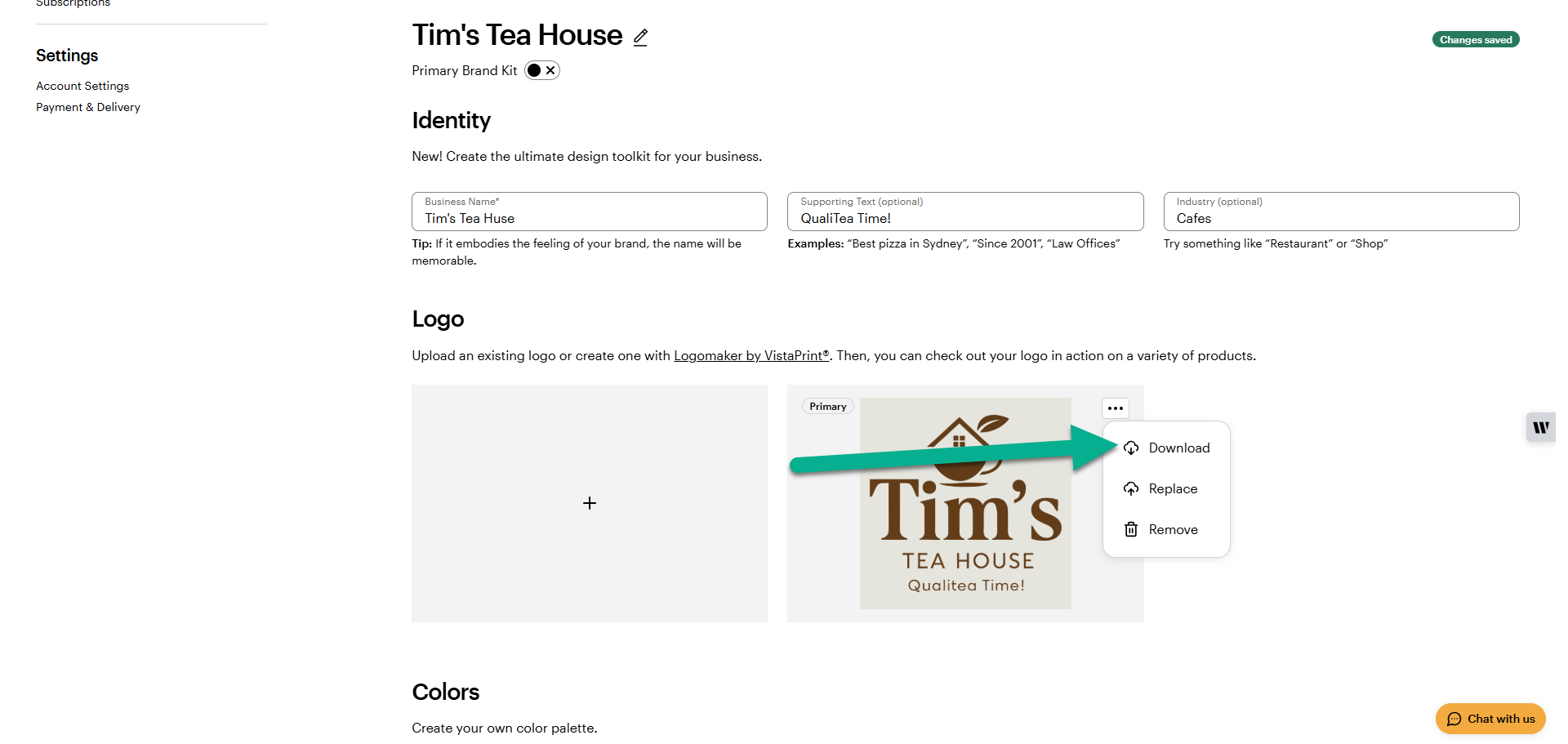
2
Upload to VistaCreate
Open VistaCreate and start a new project. Select Uploads to add your saved logo to your library.