


Track your delivery
The fastest way to get an update on your order is to track the delivery yourself through our self-service support form. To do so, follow these steps.
Visit our Help Centre
On the Help Centre front page, you'll find the option ‘Need help with a recent order? Start here’.
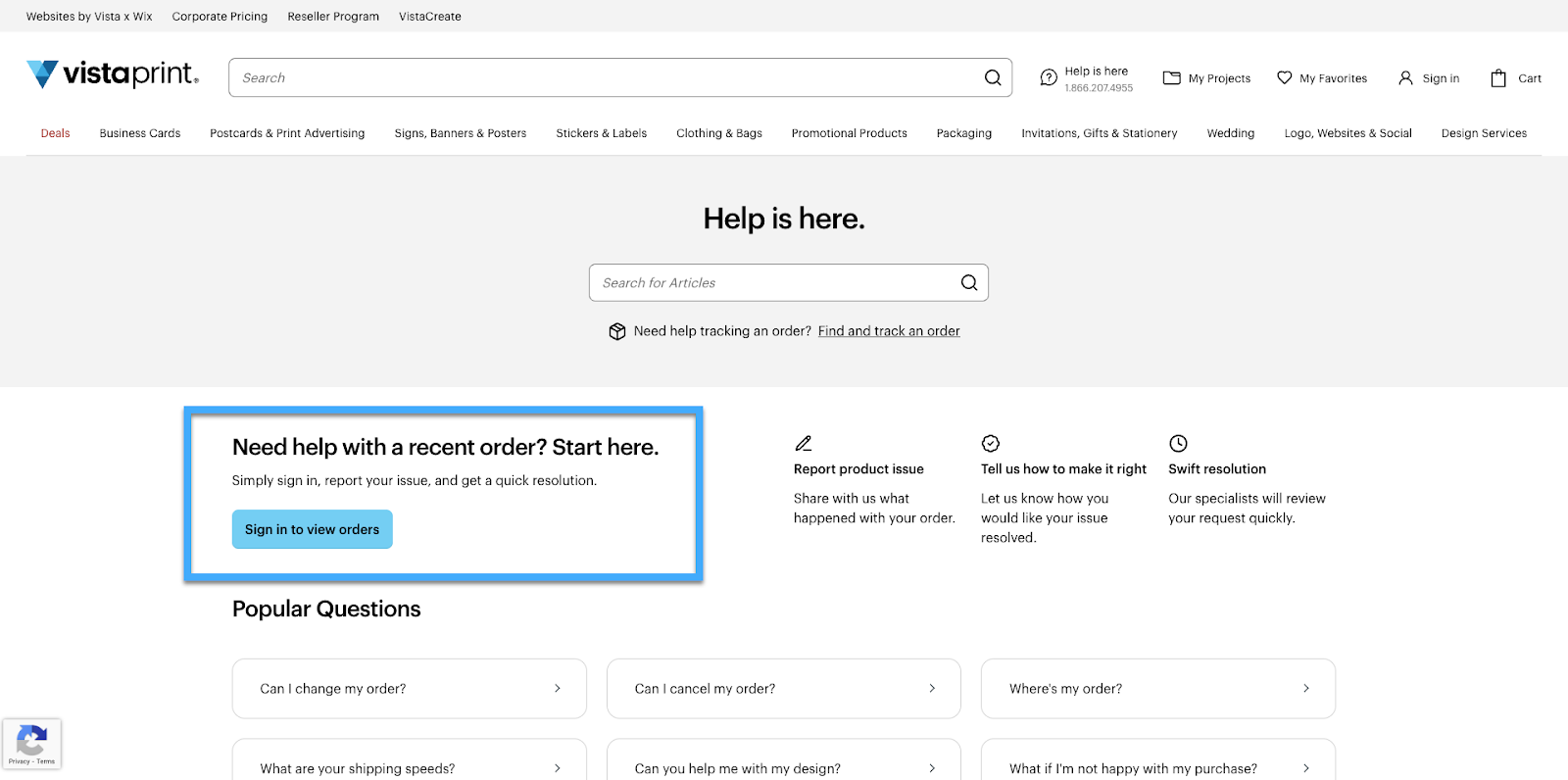
Select an order
We'll show you a list of all your recent orders. Select an order from the list and choose ‘Get help with this order’.
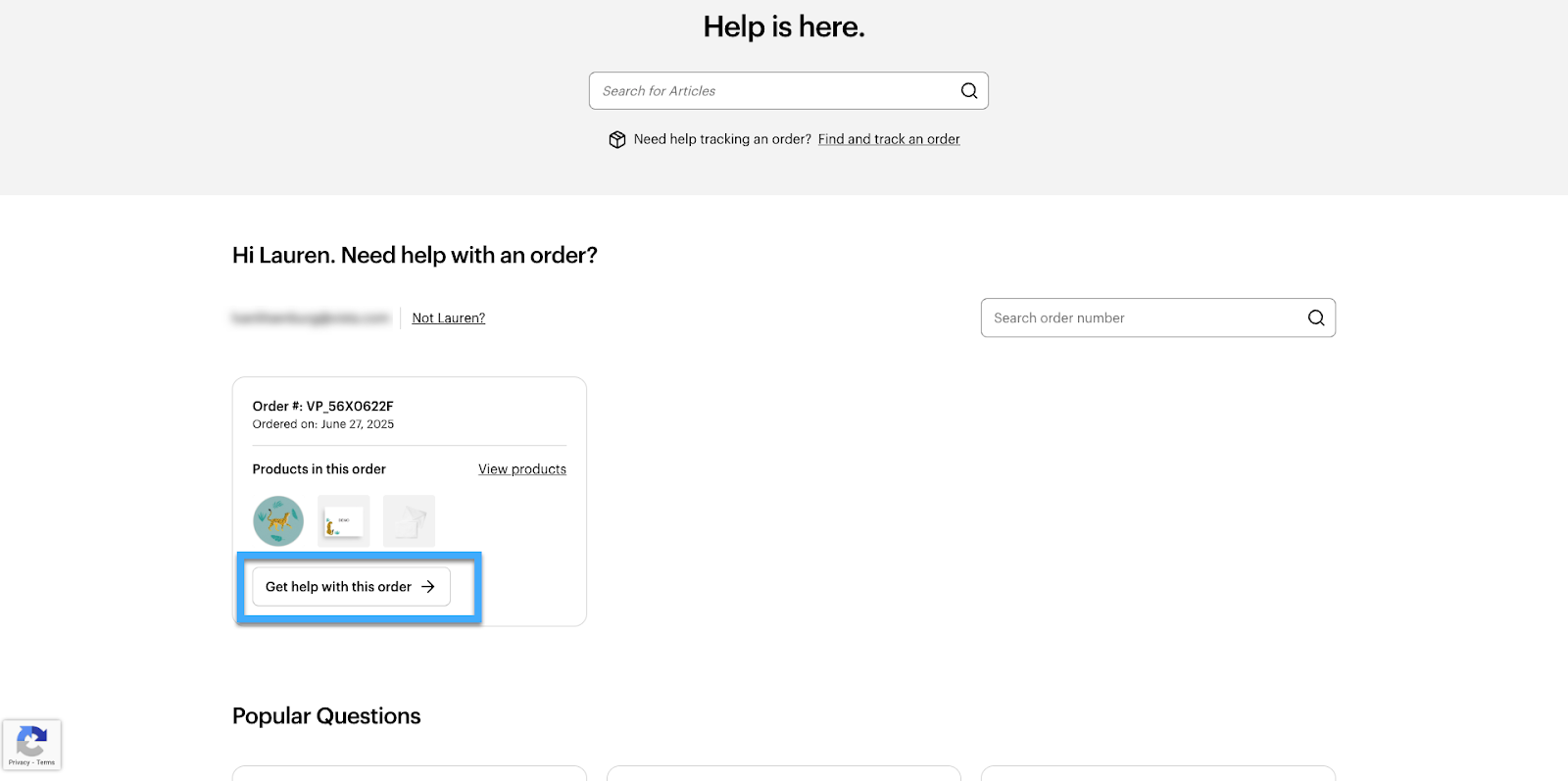
Select an action
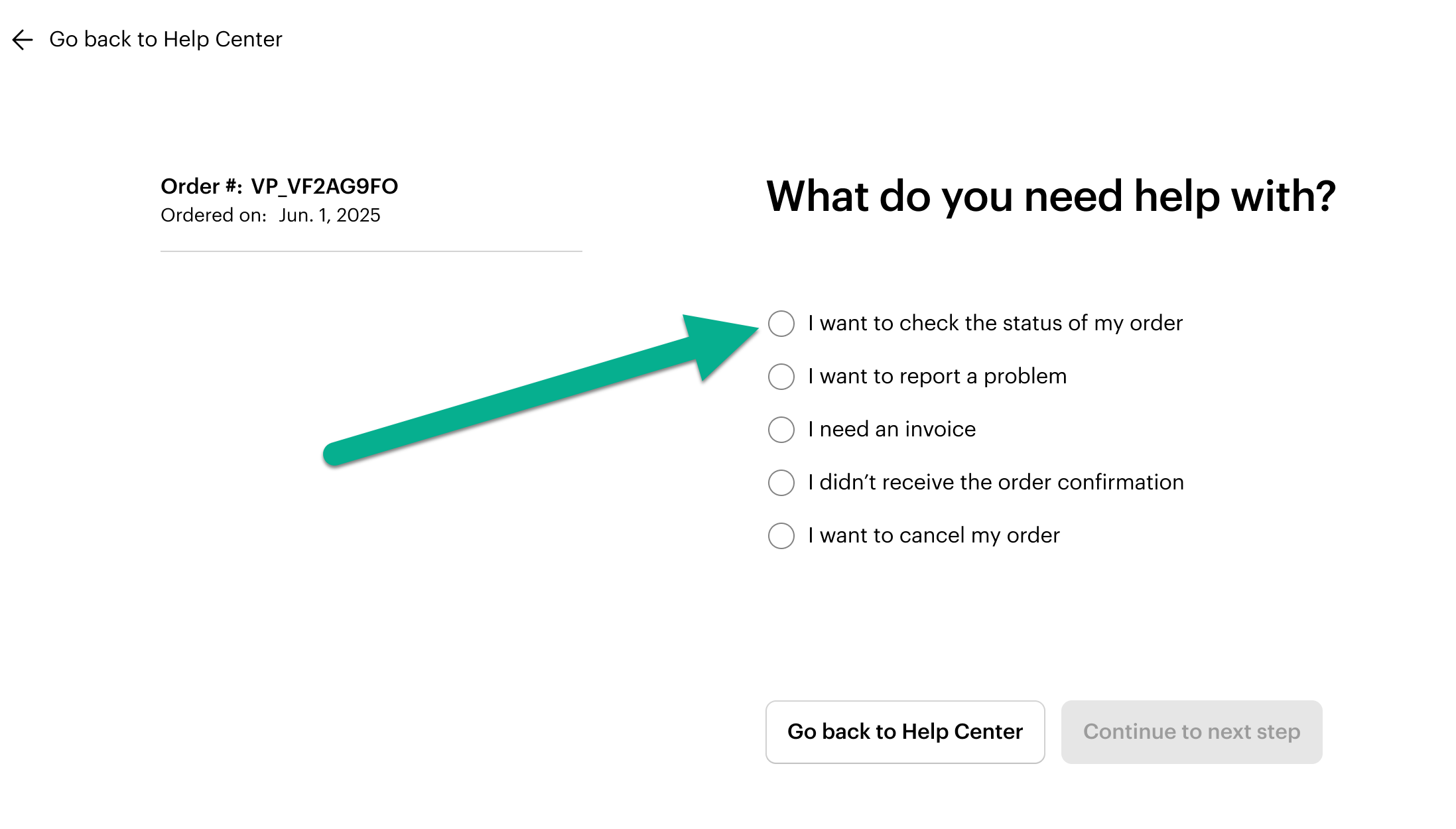
From the list of available actions, choose ‘I want to check the status of my order’.
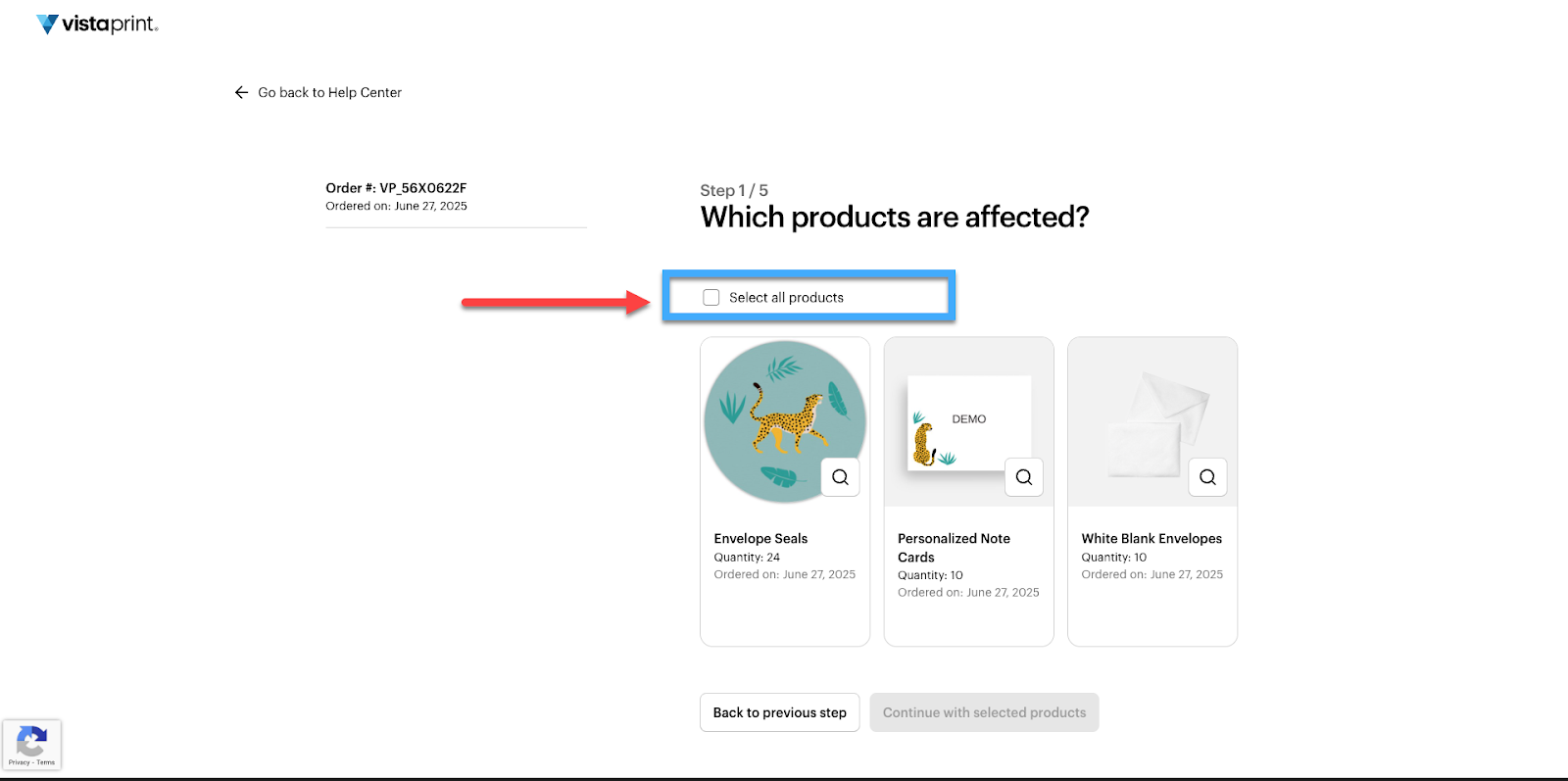
Select products
Select the affected products. If the entire order is impacted, select ‘Select all products’.
Check your order status
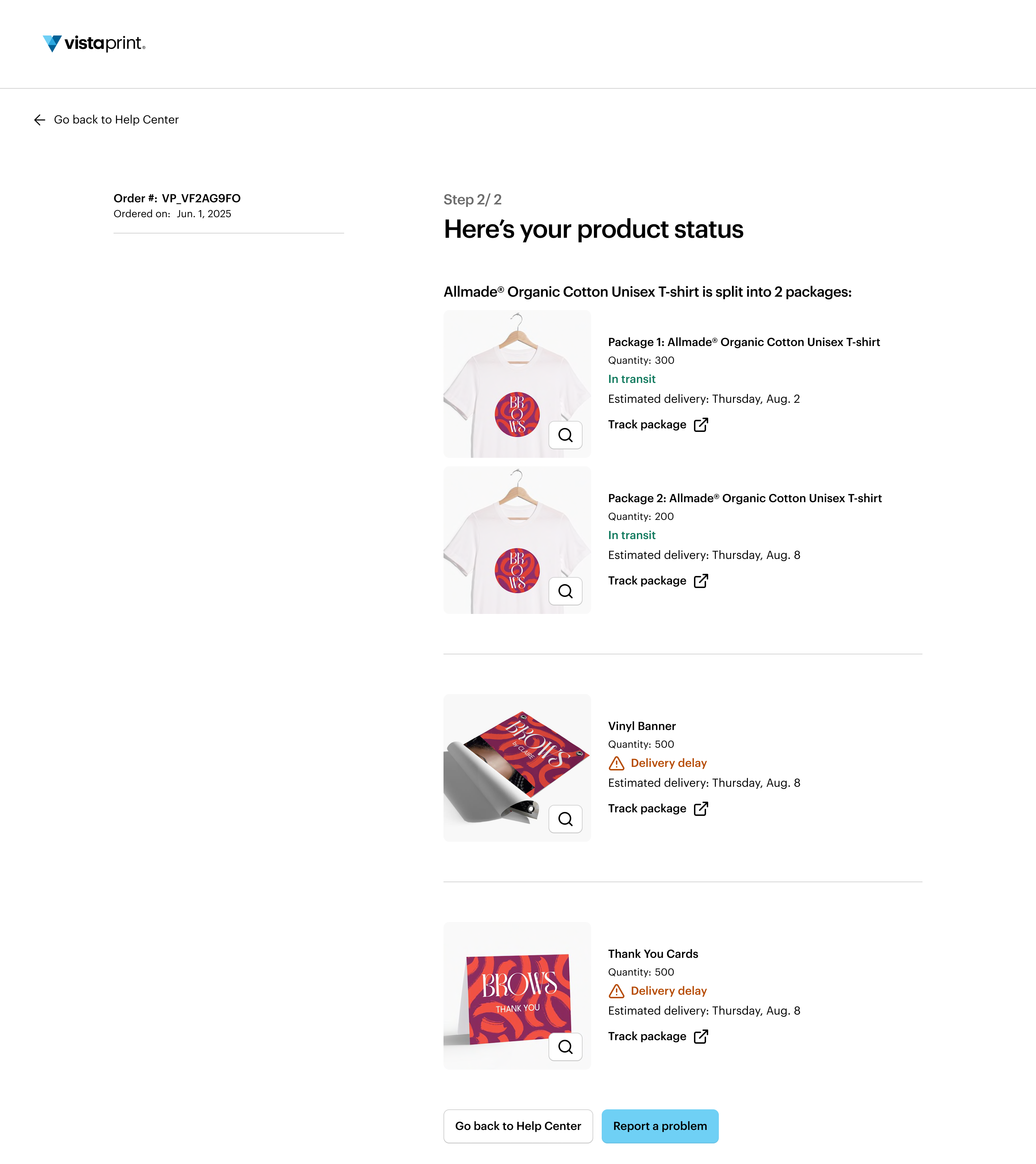
Each product in your order has a status banner showing what stage it's in. Select Track Package to get a more detailed update directly from the carrier.
Keep in mind, some orders ship in multiple packages, so items might arrive at different times.
If the carrier isn't able to help or you're still missing part of your order, please contact us and we'll make it right.
How to request help for a late order
You can report an issue with the order directly from the self-service support form:
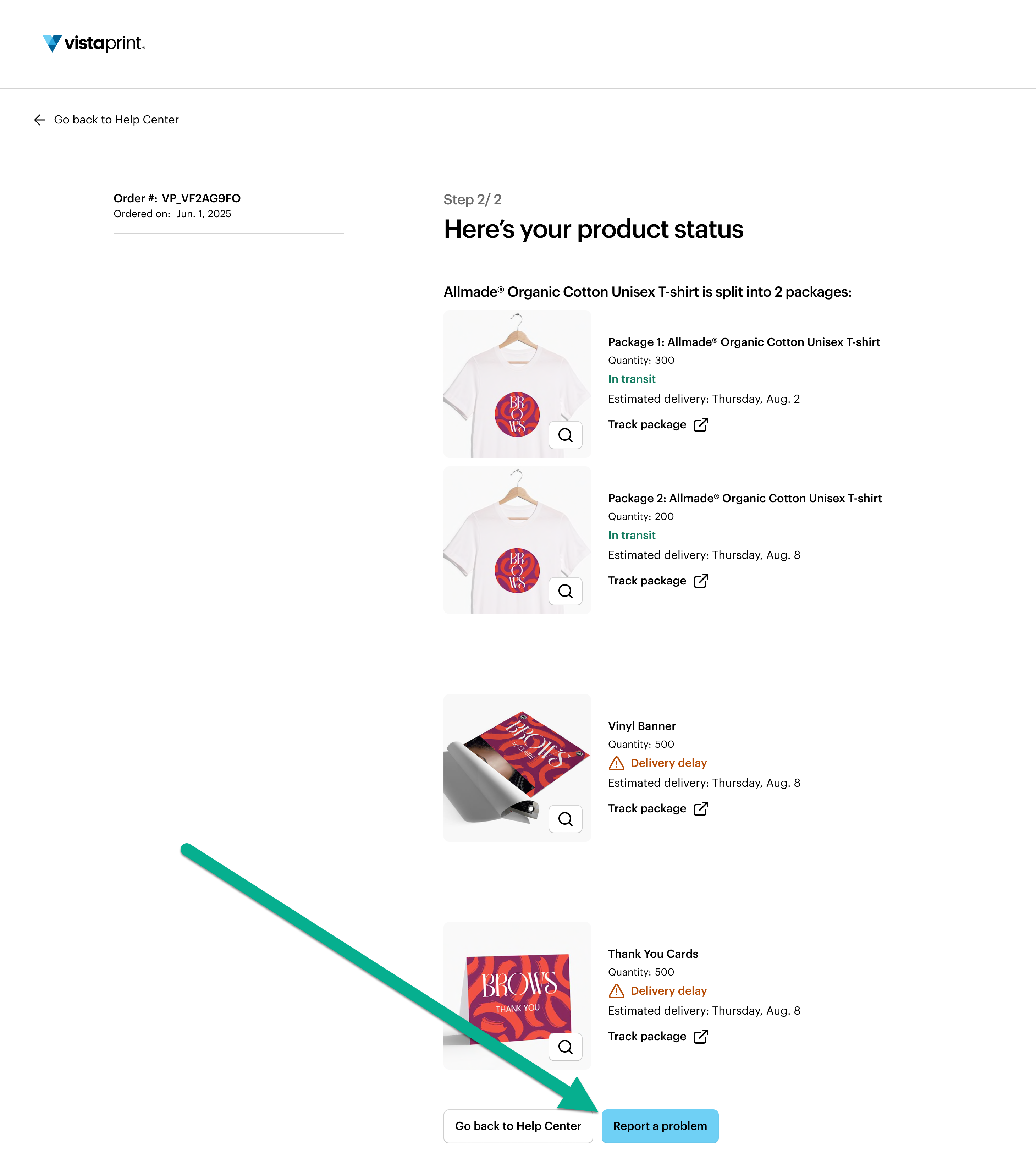
Select Report a problem
From the page with your order status overview, select Report a problem
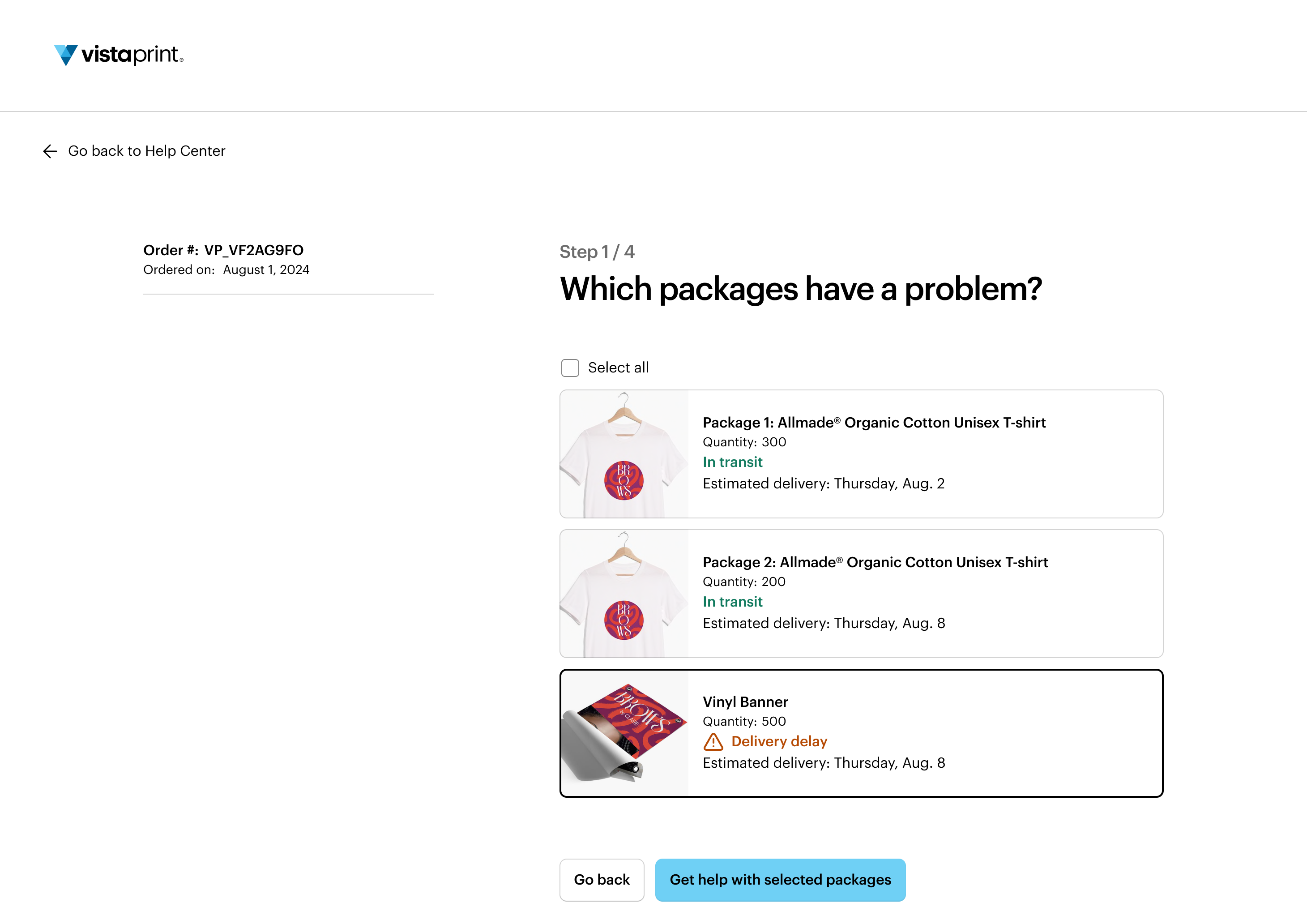
Let us know which packages have a problem
Select any packages you want to report an issue with. Then, select ‘Get help with these packages’
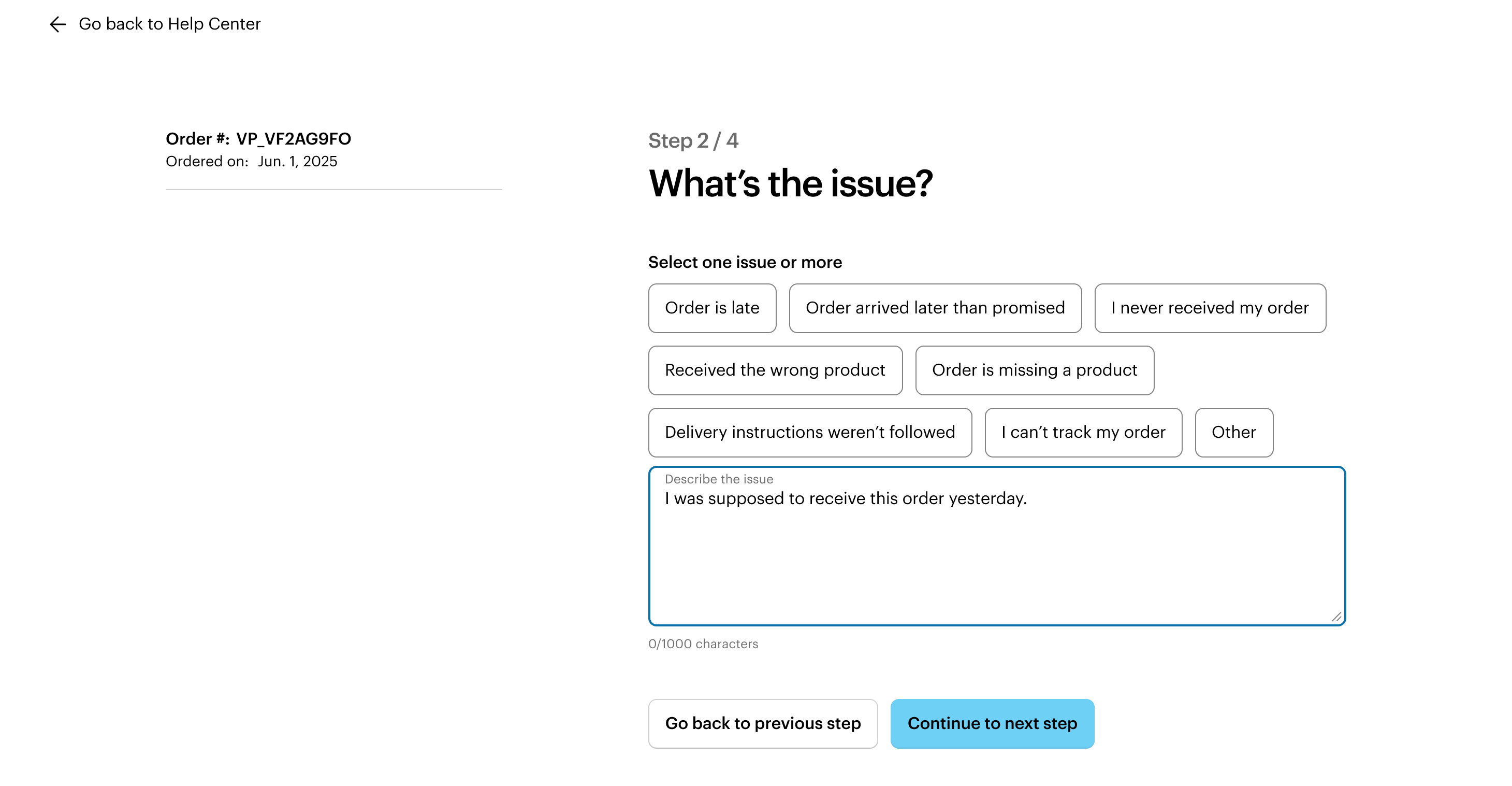
Describe the issue
Tell us about the issue by choosing the option that best describes the issue such as ‘Order is late’. You can also add more details in the text field to explain the problem.
Review the details
Check that all the details of your request are correct. When you're ready, select ‘Continue to next step’.
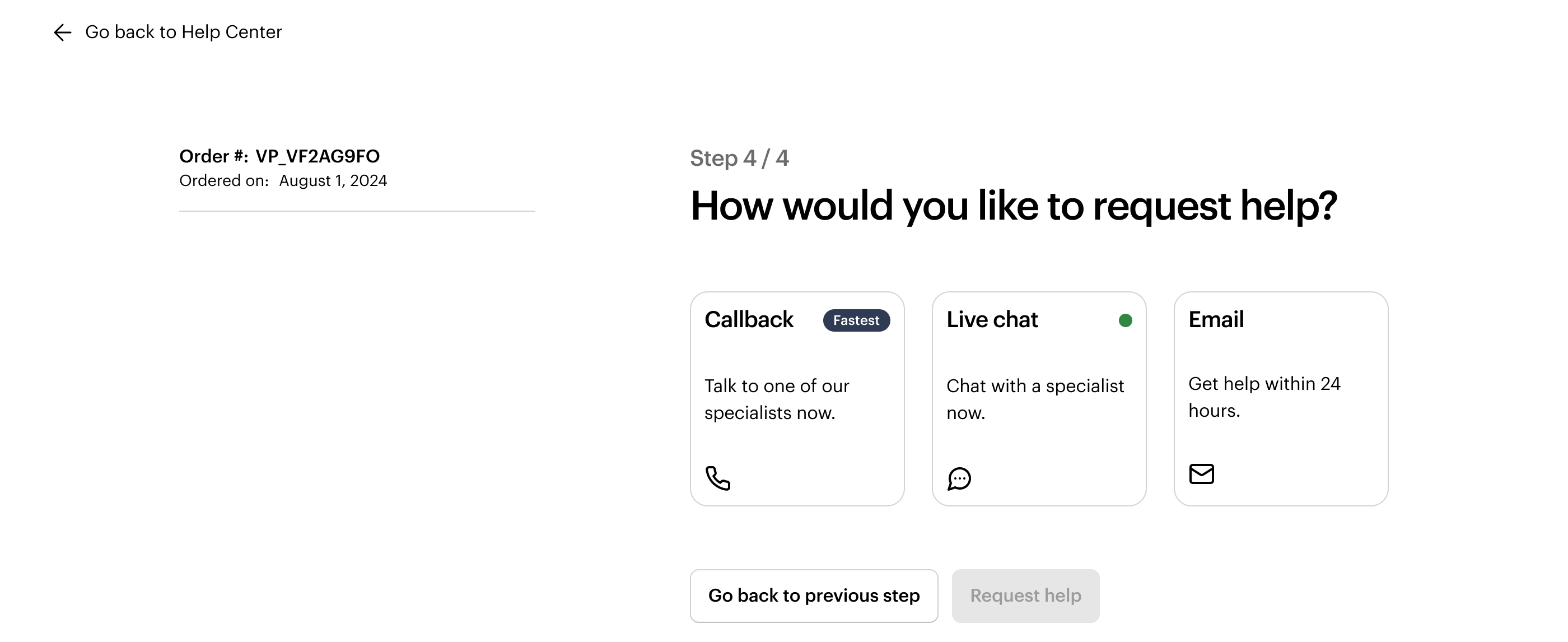
Choose a contact method
Choose how you’d like our Customer Support team to contact you. For example, you can request a call back, start a chat or receive an email.
Wait for confirmation
You have now submitted your request. We’ll send you a confirmation email to let you know we’ve received it. In most cases, we’ll get back to you within 24 hours.
