
Can I personalise products without creating them from scratch?
Last updated 16 June 2026.
Guide
Yes, the Names feature lets you customise existing designs with individual names and numbers for each person.

How to personalise products

1

Choose a product

Find a style you like, then add your logo and text or select an existing design.
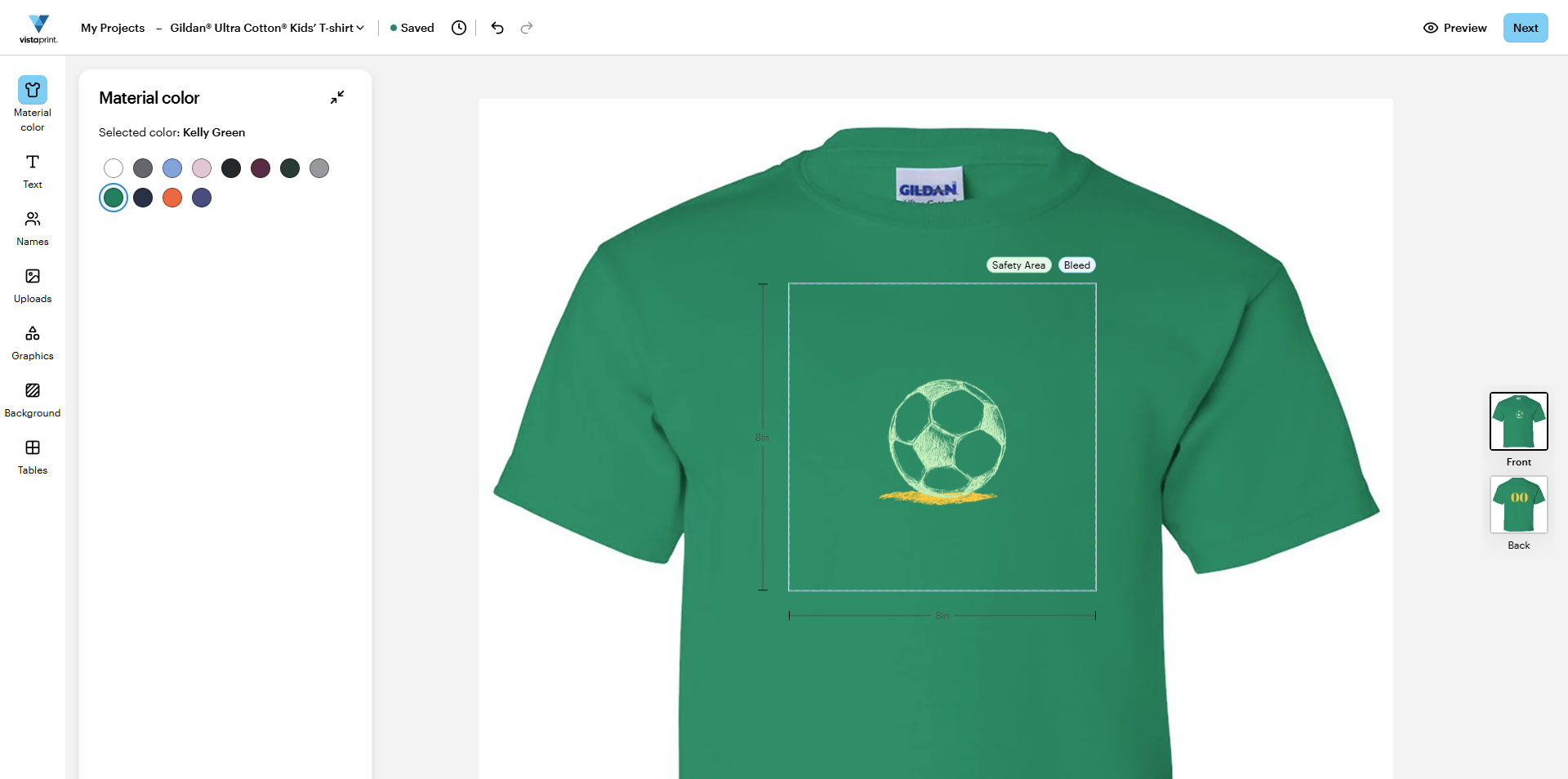
VistaPrint design studio interface with a blank green T-shirt with a logo uploaded on the design.
2

Select Names

After customising your design, use the Names feature to select one or more placeholders: Name, Role or Job Title, Number or a custom placeholder. You can adjust their appearance, then click Next when your design is ready.
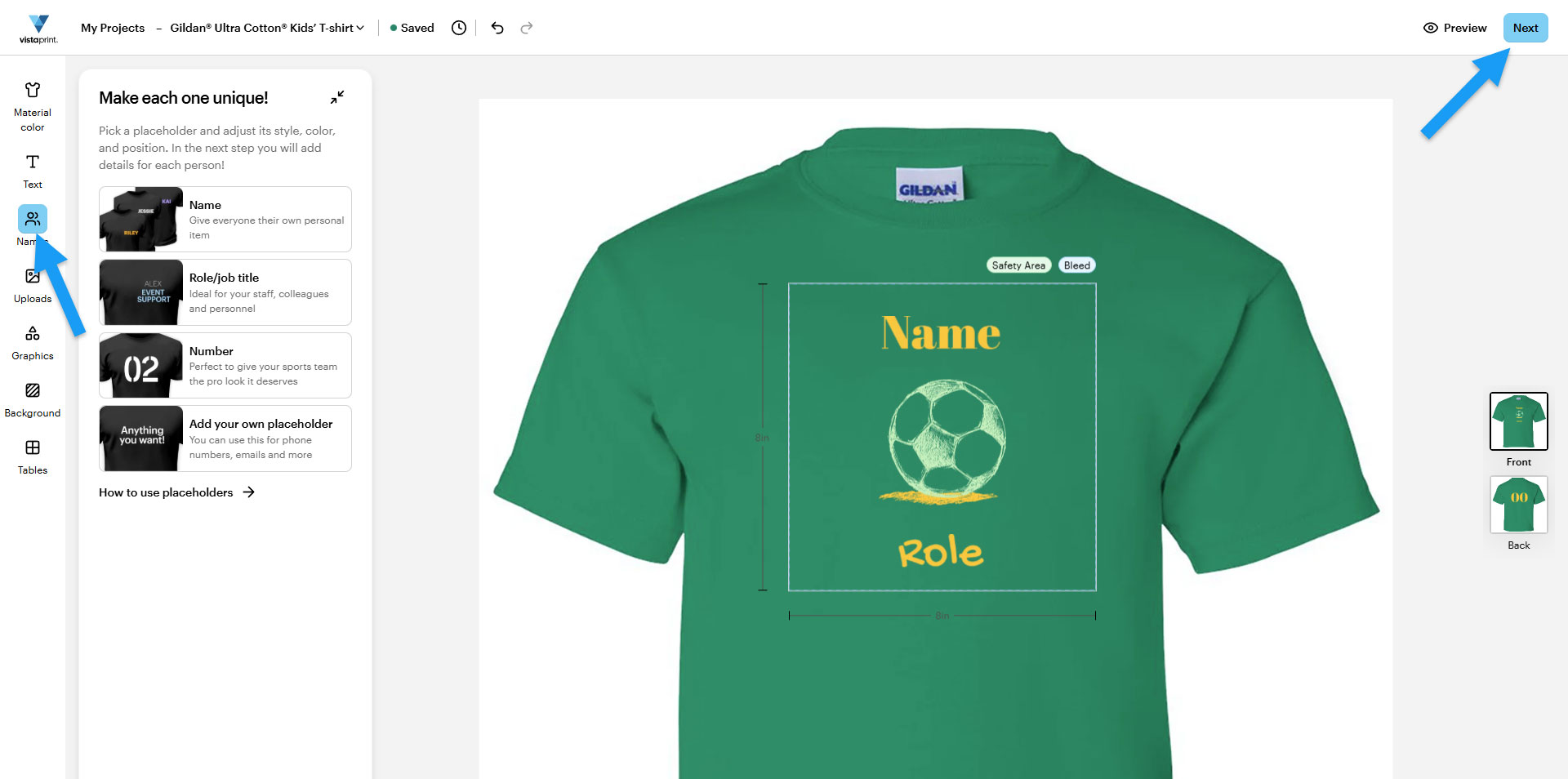
VistaPrint studio with the Names feature selected, showing placeholders for name, role and number in the design, with a blue arrow pointing to the Next button.
3

Enter your details

Add each person’s information, then choose sizes and quantities as needed. When finished, click Review your design.
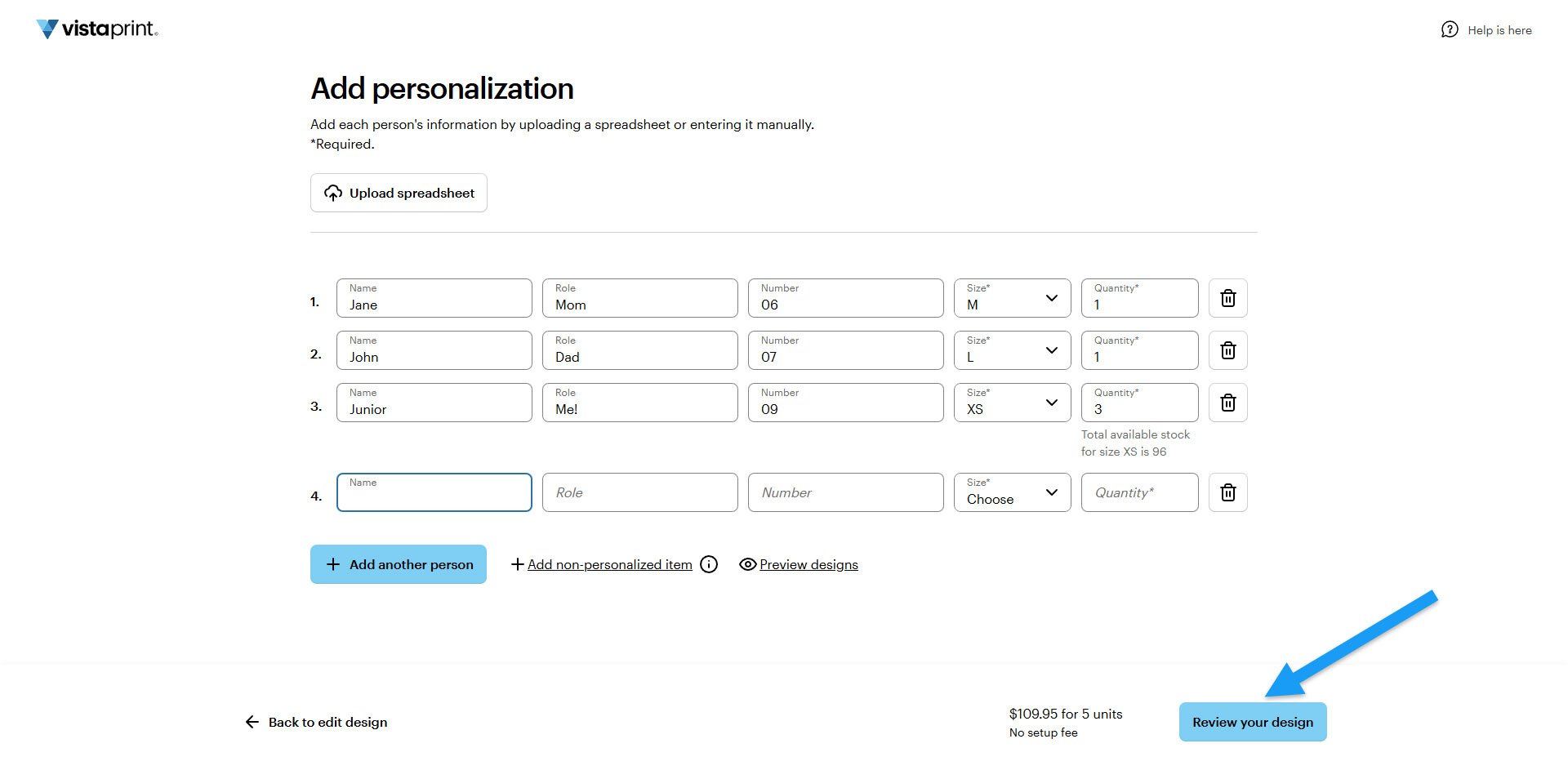
T-shirt personalisation panel showing the Names spreadsheet manually filled, with a blue arrow pointing to the Review your design button.
4

Preview your design

Before purchasing, review your design or share it with colleagues or friends.
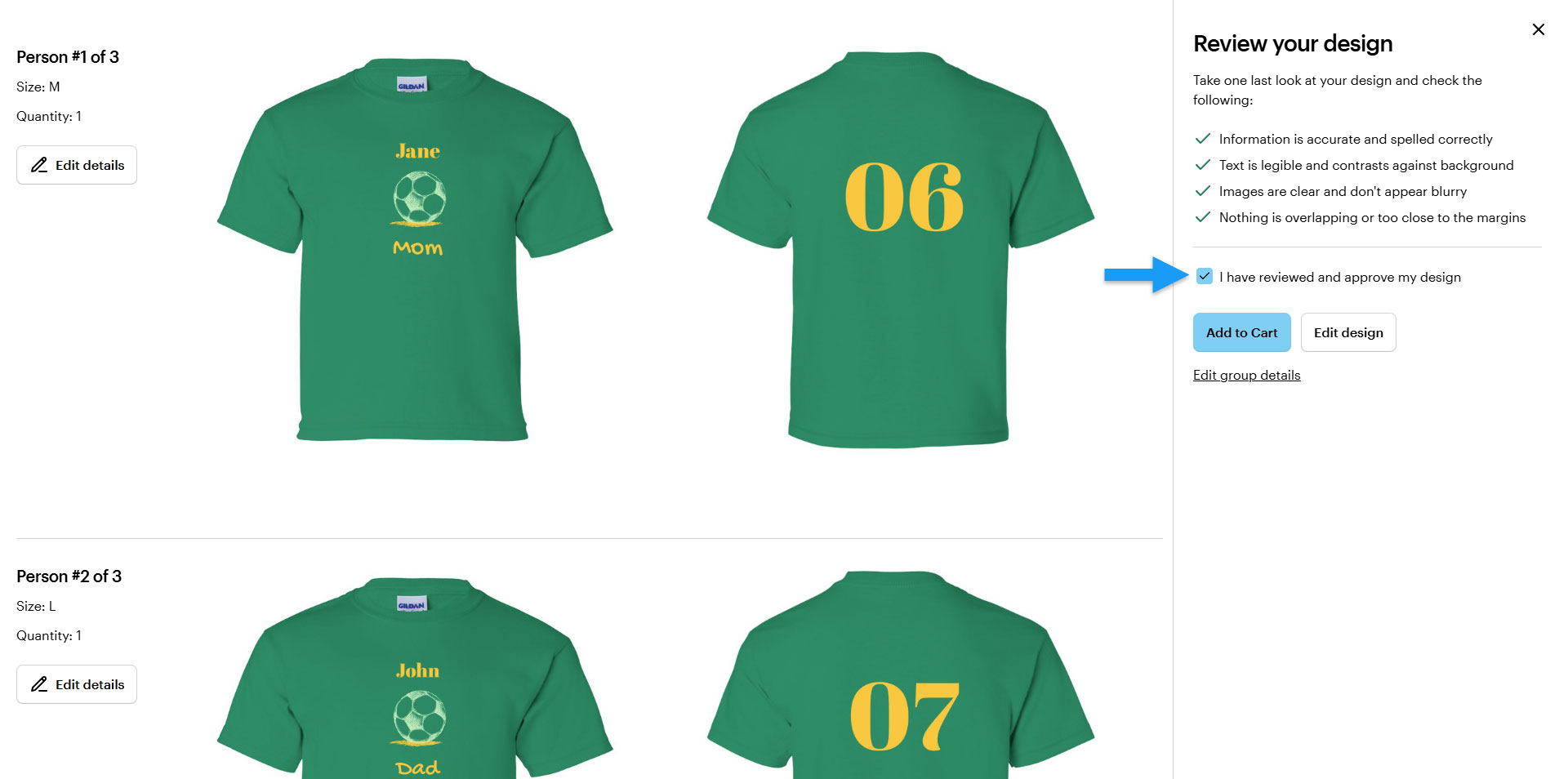
Review design panel showing the final T-shirt preview, with a tick indicating approval and a blue arrow pointing to the Add to basket button.
Discover how to use the Names feature in the design studio to create custom matching products for multiple people with minimal effort.

Was this article helpful?
Learn how we use your feedback

Connect live with Customer Support

Need help?

Contact Us
