

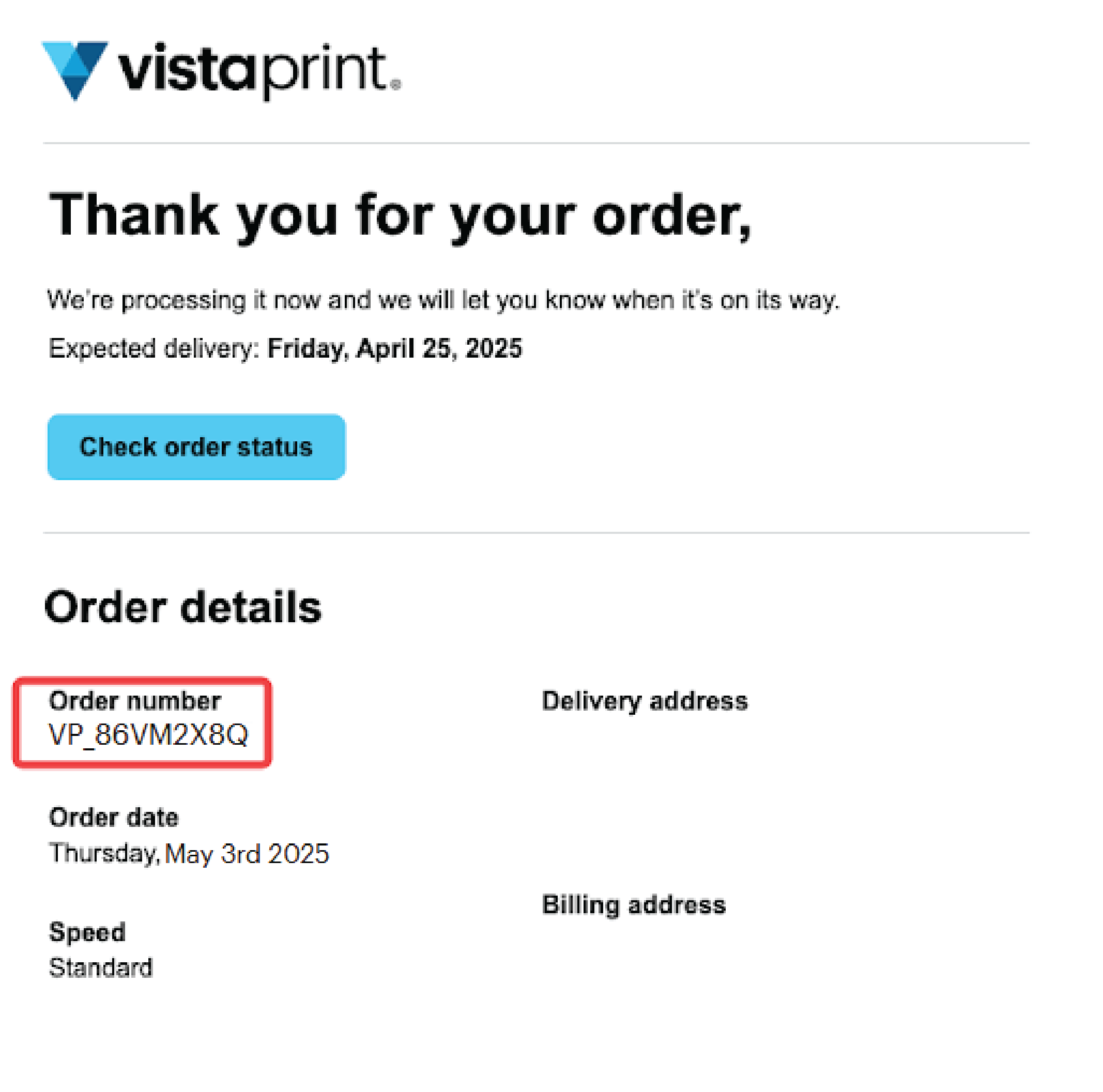
Order numbers typically start with VP_ followed by 8 characters. For example: VP_86VM2X8Q.
In your order confirmation email
We’ll send you a confirmation email after you place your order. Your order number appears in the Order number section under Order details.
In your account
Follow these steps:
Go to the Vista website and select Sign in
Open My account, then select Order History & Reorder
Find the order you need. Your order number appears after Order number:
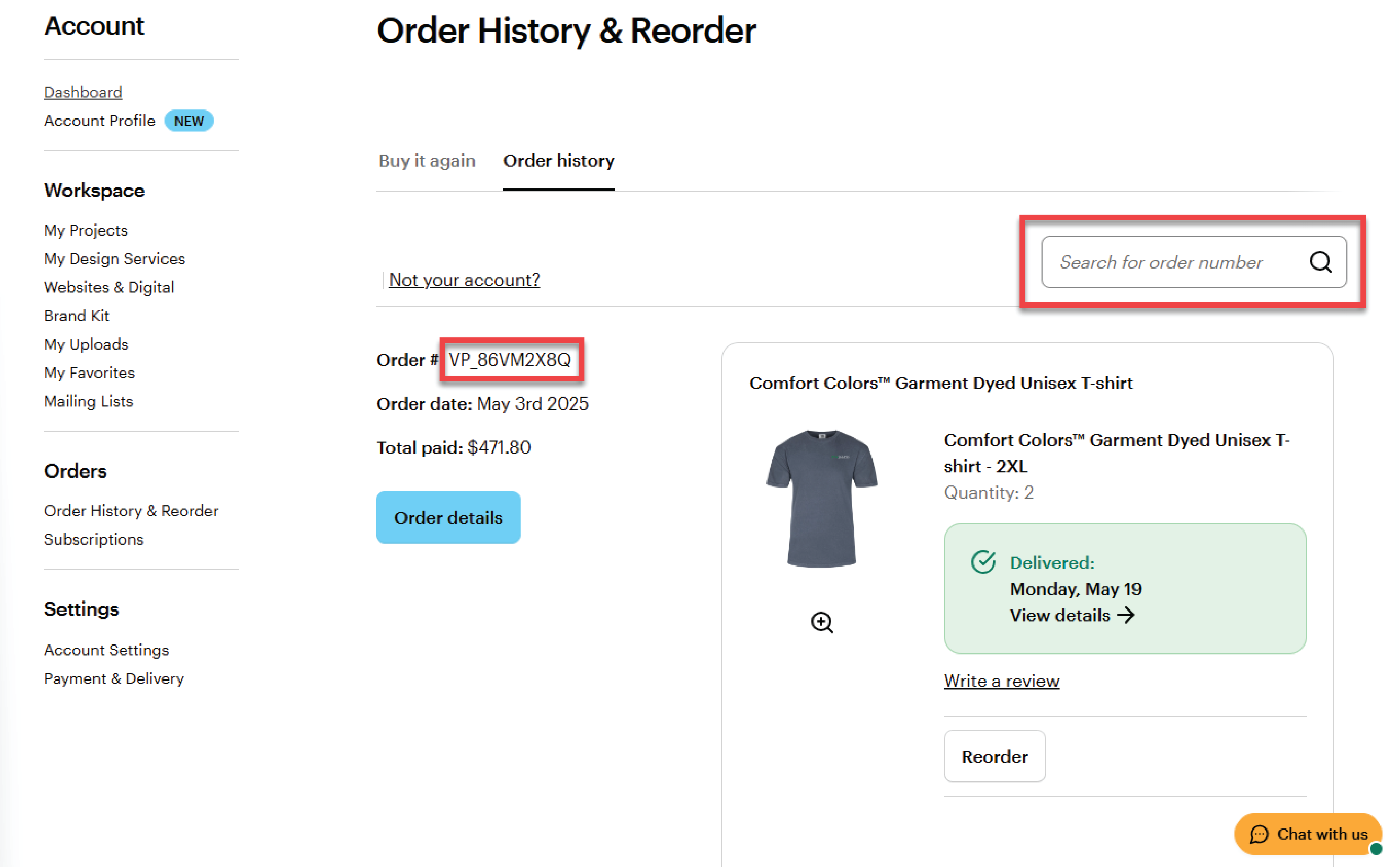
Use the search bar to find your order by entering your order number.
If you checked out without an account
No worries. Your order number is still included in your confirmation email.
Still can't find your order number?
If you can’t find your order number, contact us and share the email address you used when placing your order. We’ll help locate it for you.

