
How do I edit my Vista x Wix Plus project consultation?
Last updated 17 June 2026.
Guide
You can edit or cancel your consultation from your Vista x Wix console in the digital dashboard.

Steps to edit or cancel a consultation 

1

Go to your digital dashboard

To open your digital dashboard, Go to My Account and select Websites and Digital.

2

Select Manage projects

Under your website, select Manage Projects to find an overview of your current projects.
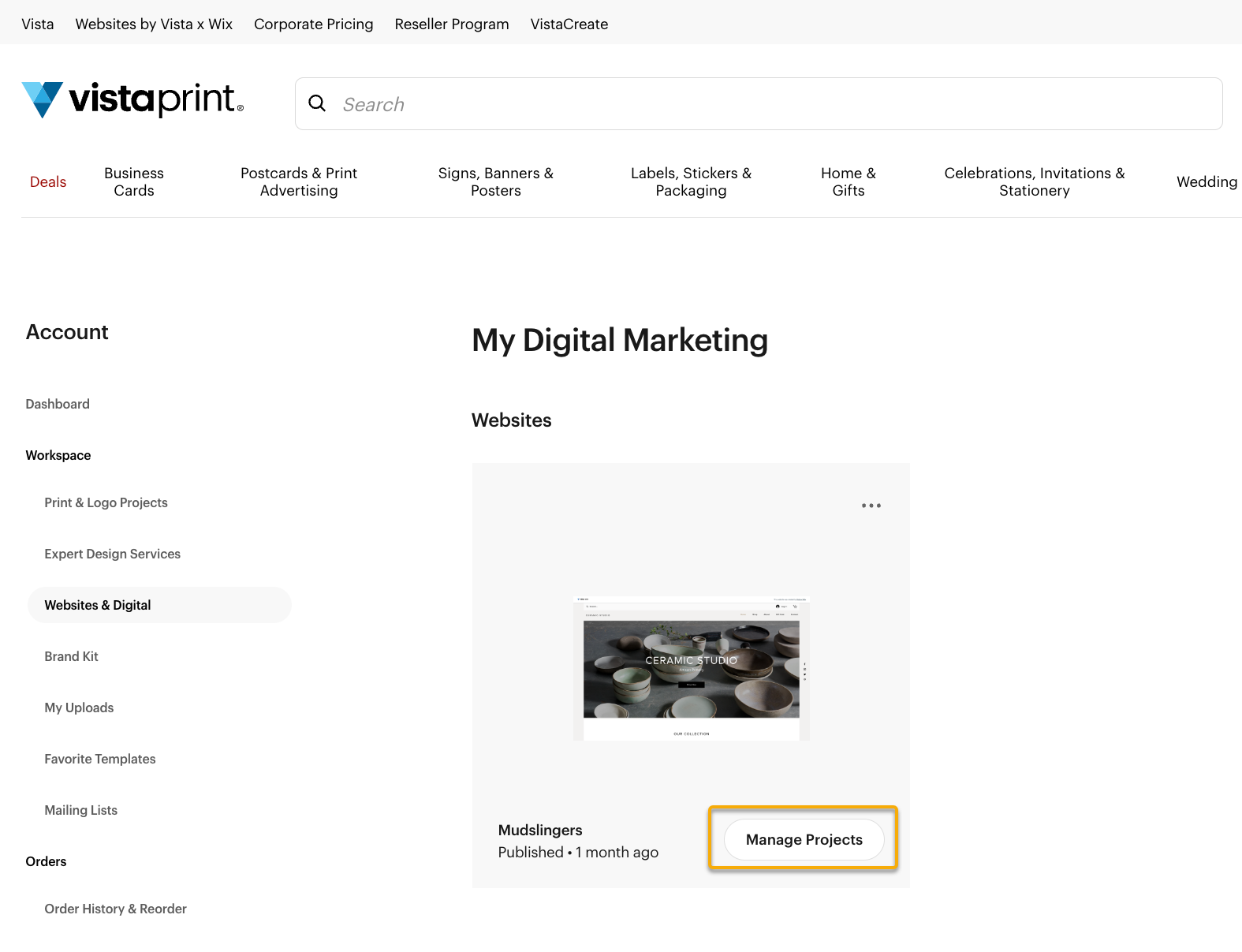
My digital marketing page with a list of website subscriptions on the account. The Manage Projects button is highlighted for a specific website.
3

Select edit or cancel

At the top of the page, we will show any upcoming scheduled calls with our specialists. To make changes to planned calls, select Edit or Cancel. 
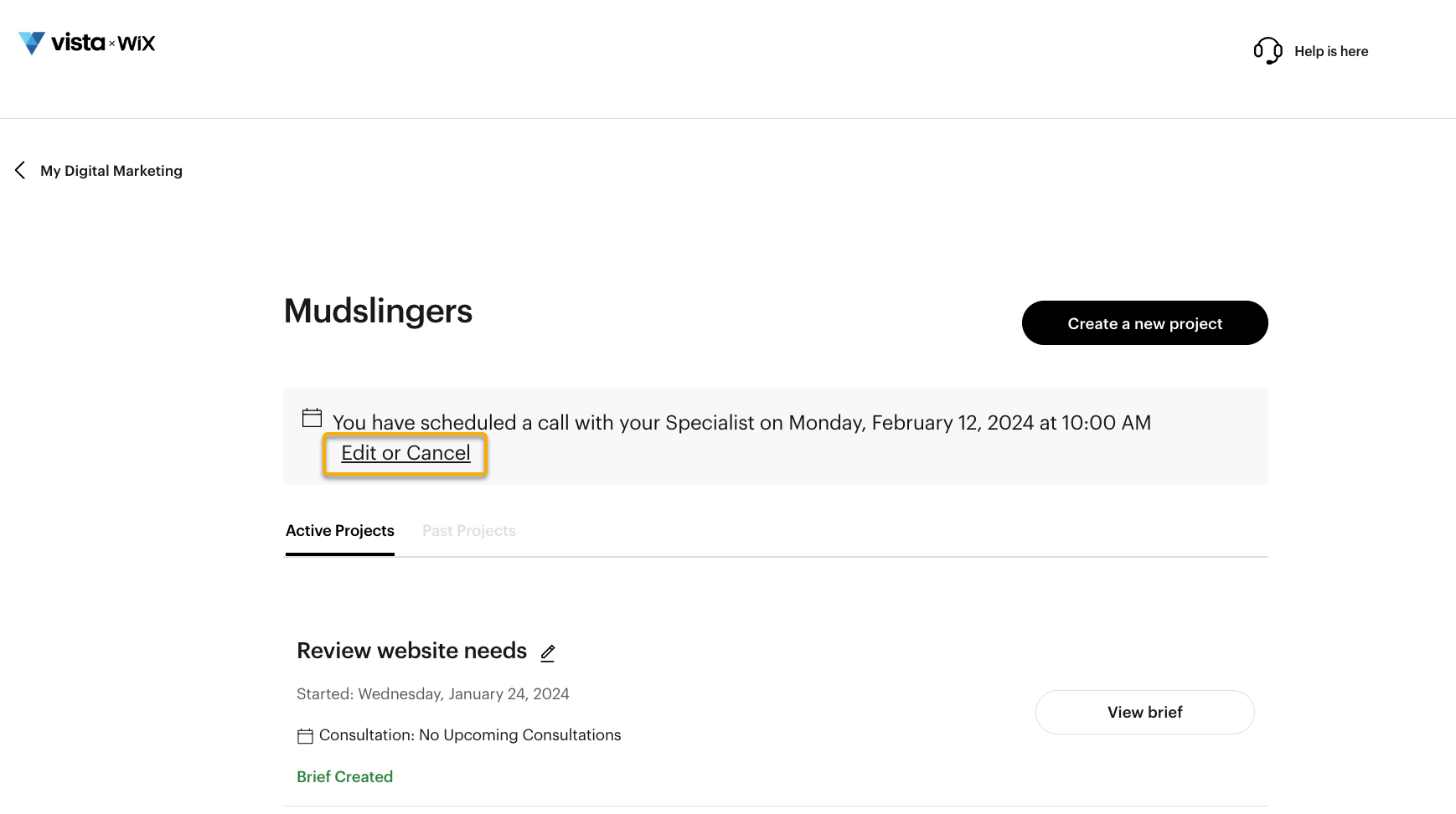
Active projects overview for a website. A banner displays an upcoming call with the Edit or Cancel link highlighted.
4

Browse dates and times

Check the available dates and times to find the best fit for your schedule, then select save. Be sure to check the timezone is correct.
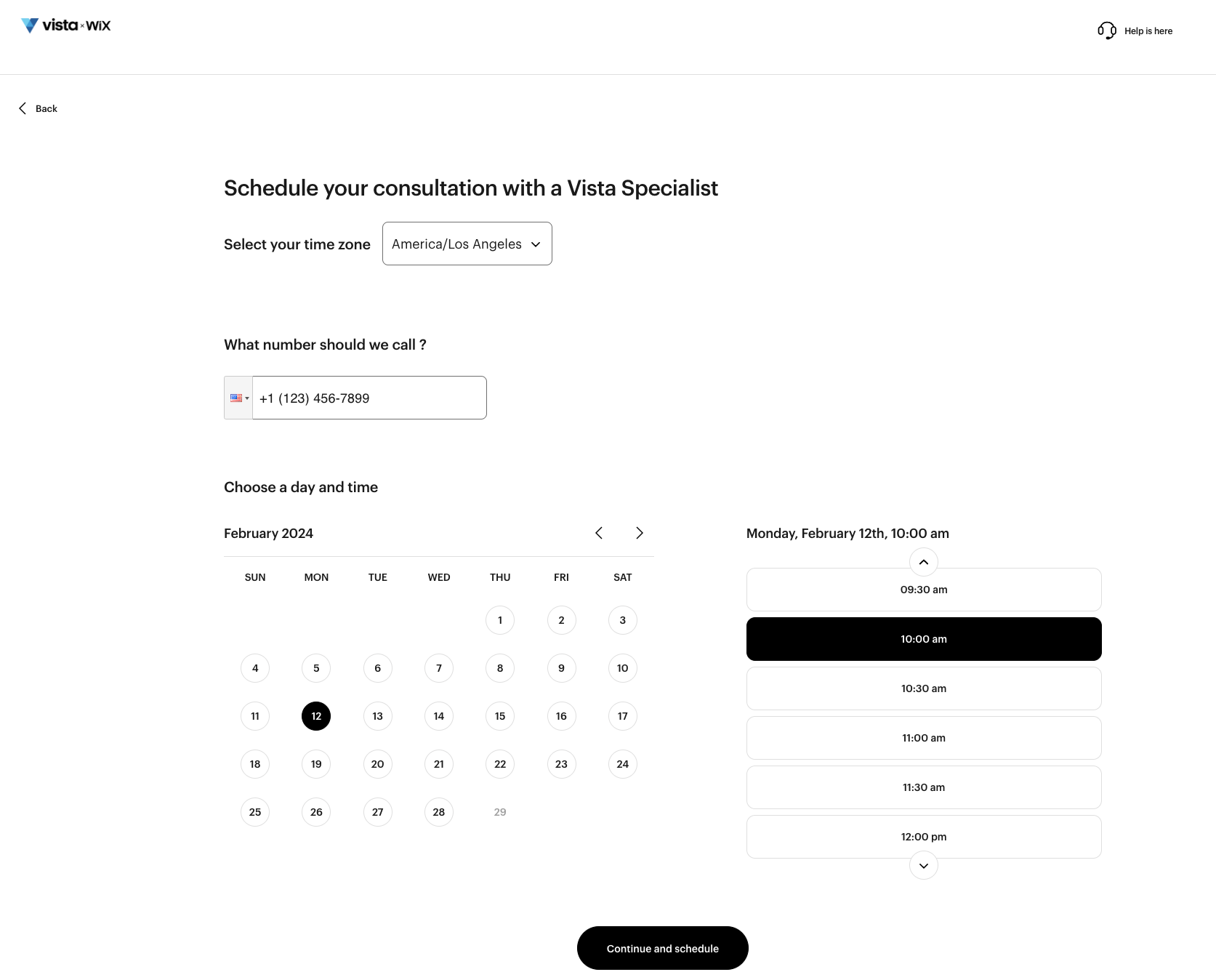
Menu to schedule a consultation with a calendar to pick a date and time.

Was this article helpful?
Learn how we use your feedback

Connect live with Customer Support

Need help?

Contact Us
